Setting up a new company
When a company is created, the standard chart of accounts comes automatically; the rest (including the tax nomenclature and the accounting categories) you load / set at the start. This guide states what must be filled in before first use.
Comes automatically (you do not enter it)
Section titled “Comes automatically (you do not enter it)”- The standard Romanian chart of accounts (OMFP 1802/2014) - 596 system symbols, identical for any company, loaded at initialization.
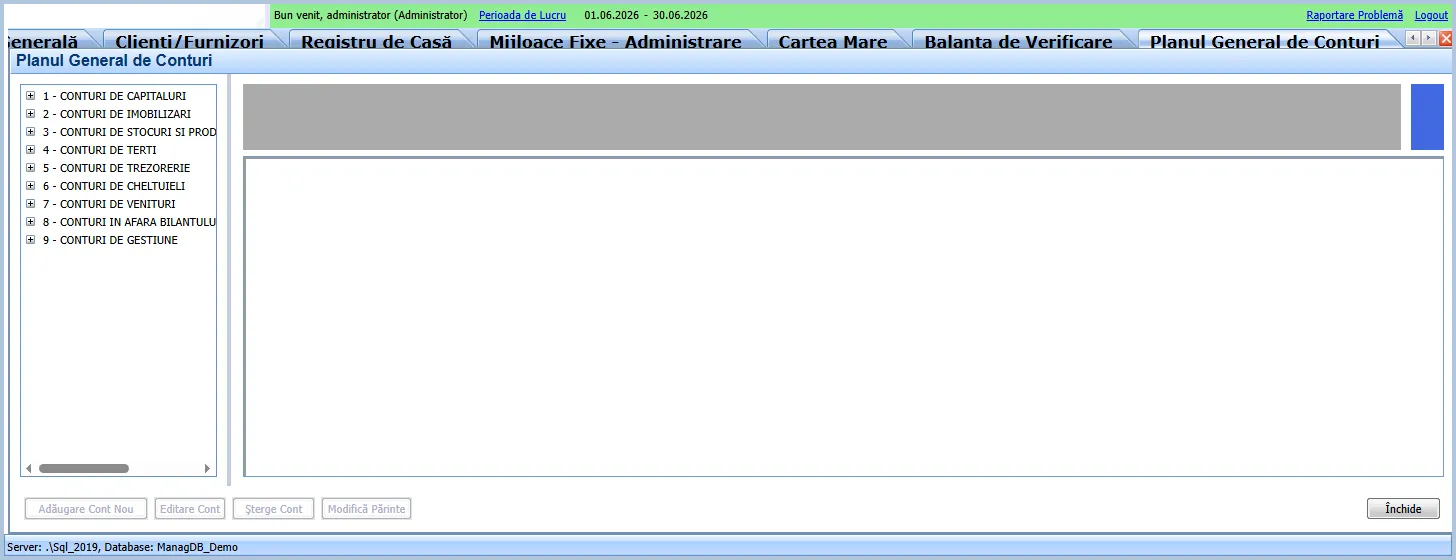
Technical note (current version): initialization auto-loads only the chart of accounts. The standard tax nomenclature (332 codes) is NOT delivered at initialization - the tax table is created empty and the set must be loaded (import/manual), just like the default accounting categories. On the new platform the initialization wizard will also seed the standard tax set (functional gap B3 in the rewrite register).
Must be filled at the start (required setup)
Section titled “Must be filled at the start (required setup)”In Admin / Setup > General Settings:
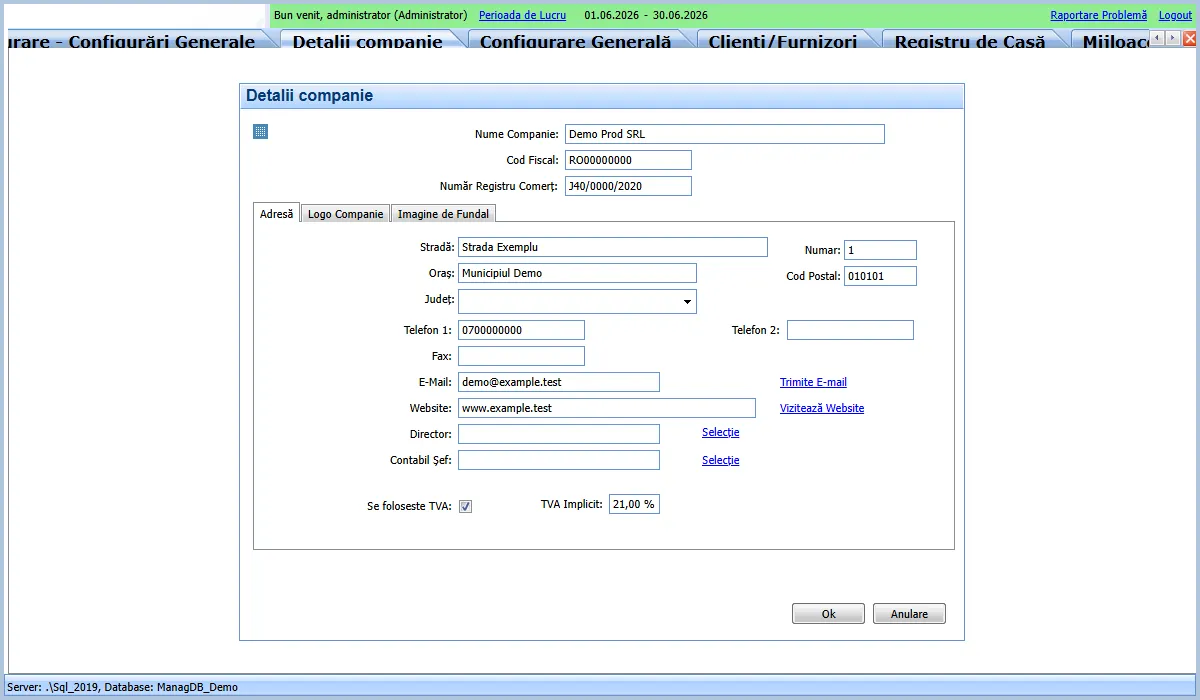
- Company data: name, fiscal code, trade register no., address, CAEN code.
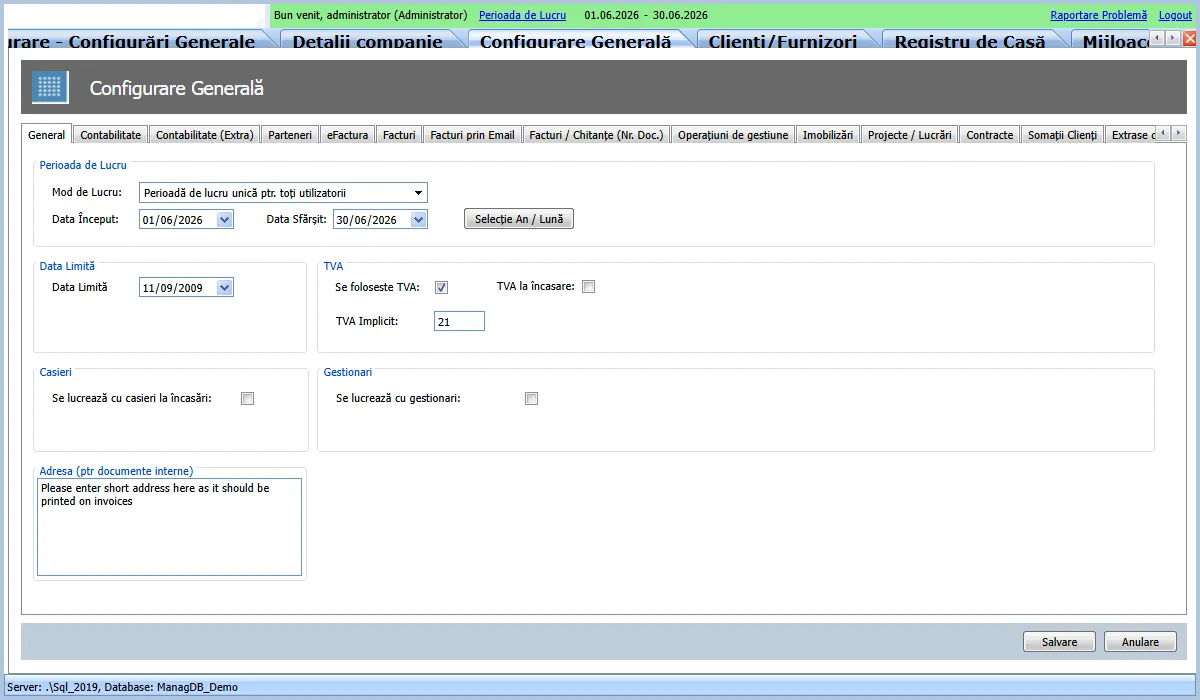
- VAT: whether VAT applies and the default rate. Current Romanian rates: 21% standard, 11% reduced (reduced is chosen per product/line).
- Work period: start/end date and the system limit date.
- Document numbering: series and numbering scheme per type (invoices, receipts, bank, inventory…).
- Default accounting symbols: treasury, internal transfer, unmatched receipts/payments.
- Accounting categories (see next section).
- Reporting identity (D394, D406) and, if used, the e-Factura credentials (from the ANAF portal).
Default accounting categories
Section titled “Default accounting categories”Categories link an operation (a customer, a supplier, an expense, a revenue) to the account where it lands. The current application does not ship a standard set - each company defines its own. The documentation proposes a recommended default set (~45 categories), derived from real-company practice, grouped by:
- Suppliers (account 401), Customers (411), sundry debtors/creditors.
- Expenses (class 6: goods, fuel, rent, services, taxes…).
- Revenue (class 7: sales, rent, interest…).
- Inventory (class 3: goods, raw materials, consumables…).
- Fixed assets and depreciation (classes 21x / 281x).
The full set, with the default account for each, is in docs/init-categories-study.md. On the new
platform this becomes the baseline the initialization wizard creates automatically.
Working data (added as you go)
Section titled “Working data (added as you go)”Partners (customers/suppliers), items/products, bank and cash accounts, employees - entered as needed. They are not required for the initial setup.
In short: recommended order
Section titled “In short: recommended order”- Company data + VAT + work period.
- Document numbering + default accounting symbols.
- Accounting categories (the recommended default set).
- Reporting identity (+ e-Factura if applicable).
- Add partners/products as you work.